Connect Groq
Open the AI settings, validate your Groq API key, and keep usage under your own account.
 AI Shadow Writer
AI Shadow Writer helps you draft in your channel style, connect your own Groq key, refine visuals, and publish directly inside Telegram without the usual prompt chaos.
Most first-run issues come from missing one of these steps. Get them right once, and the workflow becomes much smoother.
The product is meant to reduce decision friction, not add another messy content tool to your stack.
Open the AI settings, validate your Groq API key, and keep usage under your own account.
Add the bot as admin, connect the channel, and confirm it can actually publish.
Fill the profile, add channel memory, and feed real post samples so drafts stop sounding generic.
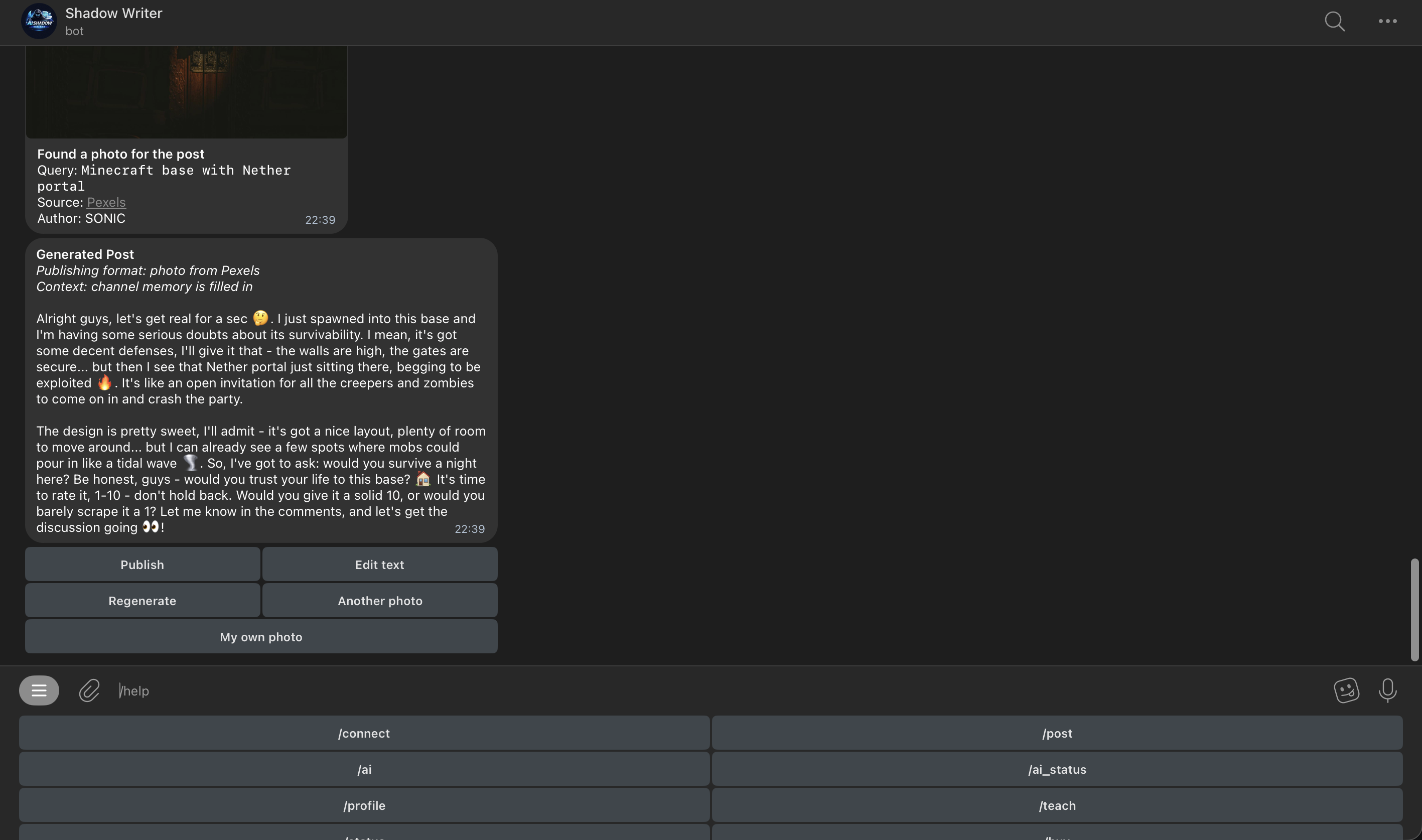
Generate the draft, change text, refresh the image, and send the final version straight to Telegram.
The system is built around real publishing actions, not just output generation. Connect the channel, teach the voice, draft inside the bot, fix what matters, and publish when the post is ready.
Swipe or scroll through the workflow.
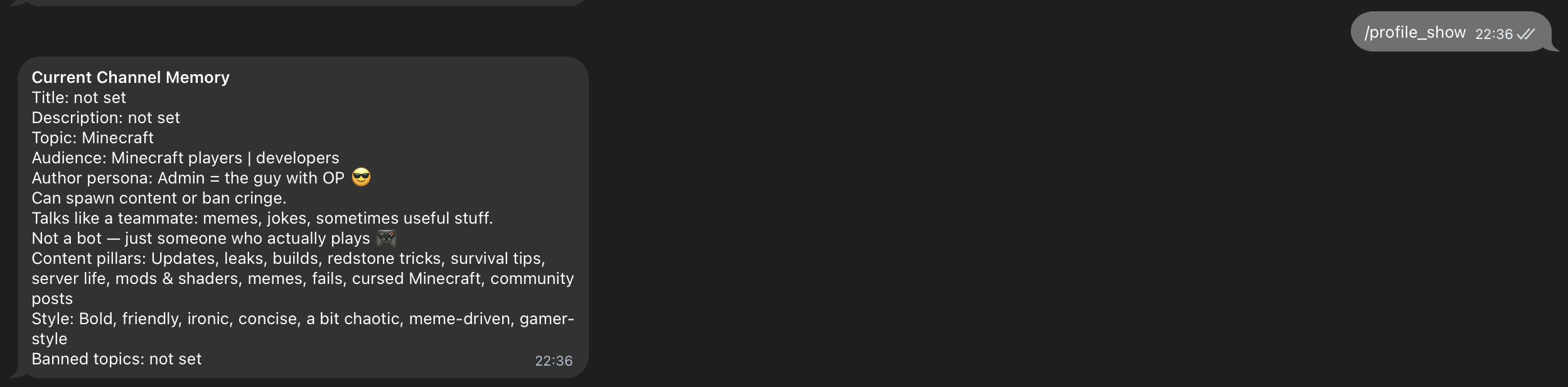
Save topic, audience, voice, recurring themes, and real channel samples so the bot writes closer to your actual publishing style.
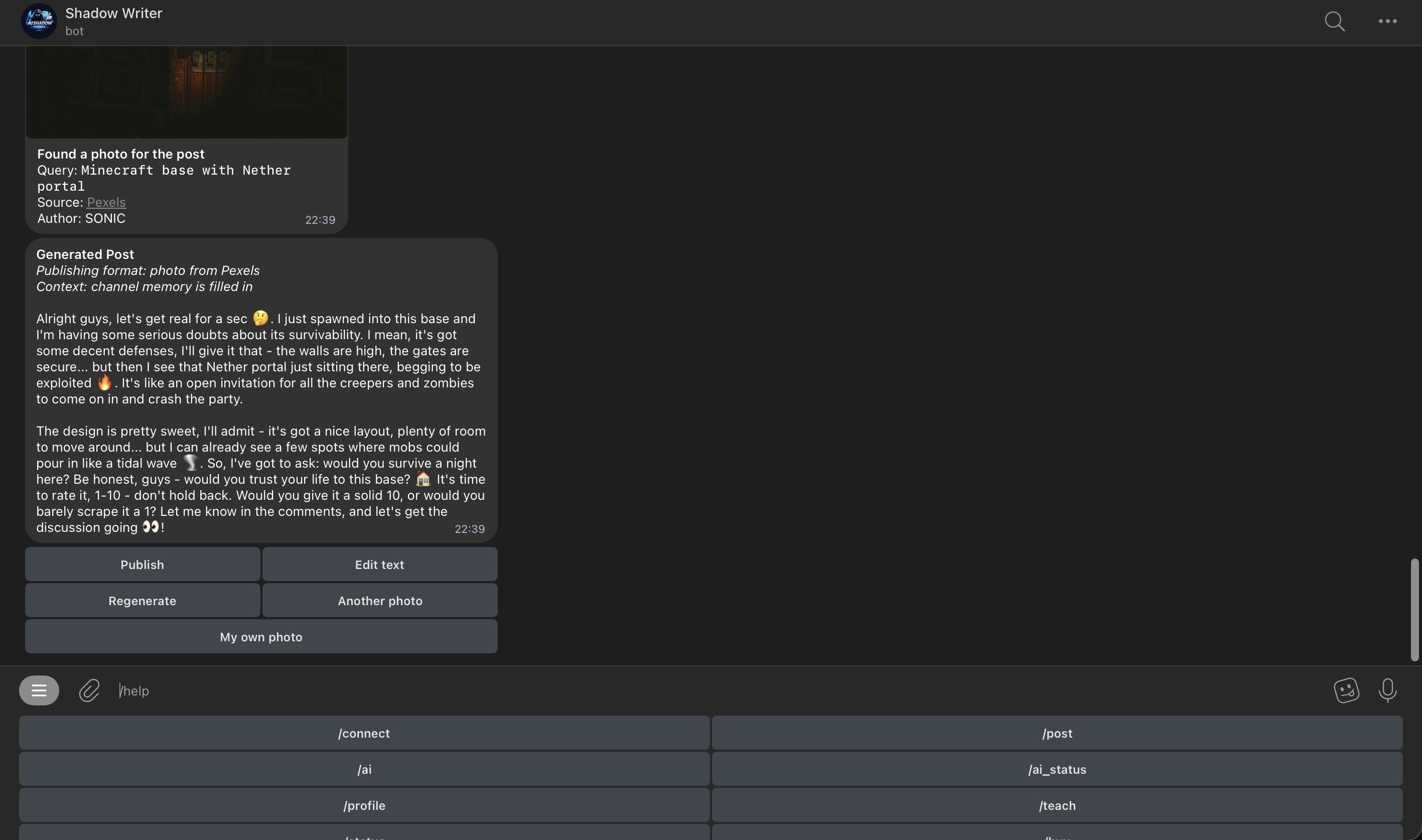
Create a draft from an idea, change the text manually, reroll the angle, replace the image, and send the final result straight to your Telegram channel.
Users keep control of AI usage through their own Groq API key.
Supported factual flows can expose sources before publication.
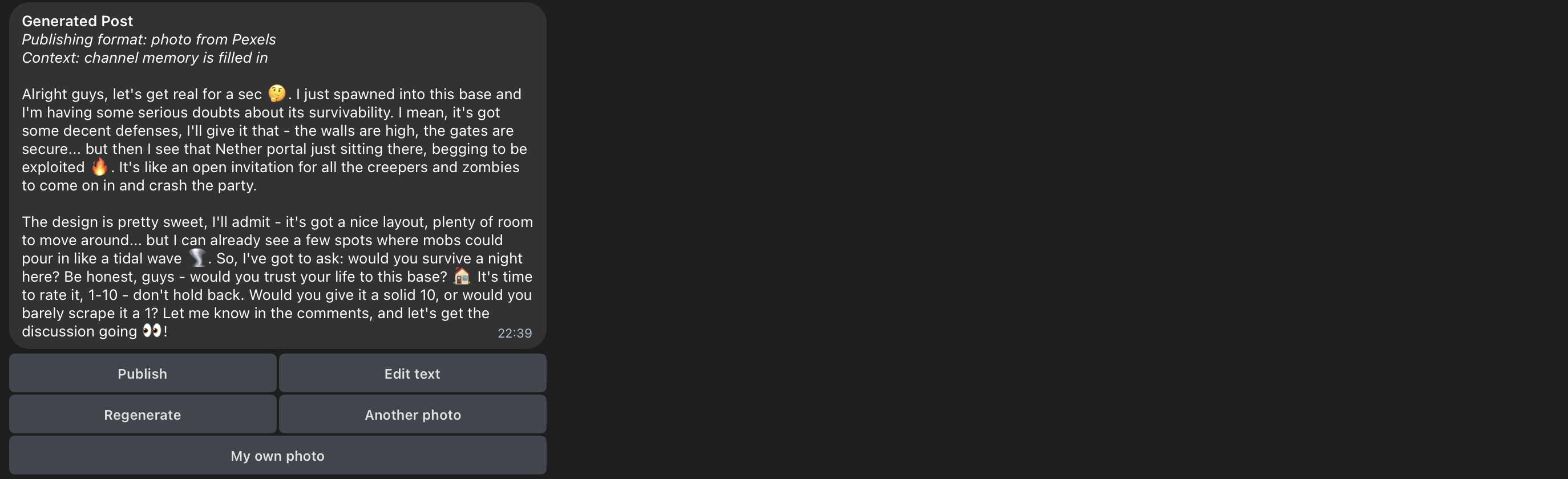
Use suggested imagery or upload your own photo for the draft.
Start in English, then switch to Russian any time through the bot.
Drafting, editing, image handling, and publishing stay inside one Telegram-native workflow.
You control AI spend and limits directly instead of relying on a hidden shared quota.
Profile memory and teach mode give the bot a stronger sense of your channel voice over time.
The workflow works best when you need repeatable publishing, not just random one-off prompts.
React faster to narratives, charts, and news while keeping a recognizable author voice.
Turn rough ideas into cleaner posts, then refine wording before sending to the channel.
Use memory and teach mode to keep posts closer to your usual tone, framing, and structure.
Draft offers, updates, product notes, and campaign posts without leaving Telegram.
Start with the free layer, then continue through Telegram Stars while keeping AI usage tied to your own Groq account.
Good for first-time testing and short launch cycles.
Best fit for active channels that publish consistently.
For operators who want less renewal friction over time.
Connect your Groq key, attach the channel, feed the memory layer, and publish through a cleaner workflow.
The fastest answers to the questions users usually hit first.
The bot must be added to the channel as an admin and it must have permission to publish posts. Connection alone is not enough.
AI Shadow Writer uses a BYOK model, so the writing workflow runs on the user's own Groq account instead of a shared hidden quota.
Yes. You can edit the draft manually, regenerate the same idea, refresh the image, or upload your own.
Yes, in supported flows. When source context is available, the draft can keep a source-aware review path before publication.
Use the built-in bot help flow. The product includes a dedicated Groq setup guide and can also show a tutorial video.
Telegram does not always include channel metadata in every forward. When that happens, try forwarding another post or send the channel ID manually.
You can refresh the image suggestion or upload your own photo before publishing the post to the channel.
Yes. The bot starts in English by default, and you can switch to Russian through the built-in language command any time.
The free layer is tracked at the account level. Resetting or reconnecting channels does not create a fresh free quota.
If setup blocks you, the fastest path is usually the setup guide, Groq guide, or a direct support message.